
Download Acronis True Image – Powerful Backup and Cyber Protection for Windows
Overview
Acronis True Image for Windows est une suite de protection des données tout‑en‑un qui combine une sauvegarde système fiable avec une cybersécurité avancée. Que vous soyez un utilisateur domestique protégeant les photos de famille ou un professionnel devant préserver des fichiers de travail critiques, cet outil offre une image disque complète, des sauvegardes flexibles au niveau des fichiers et une détection des menaces en temps réel dans une interface unique et intuitive. Le logiciel crée des copies exactes de votre système d’exploitation, de vos applications, de vos paramètres et de vos données personnelles, vous permettant de récupérer un PC en panne en quelques minutes.
En même temps, son moteur anti‑malware alimenté par l’IA surveille les ransomwares, les cryptominers, les URL de phishing et autres attaques modernes, les arrêtant avant qu’ils ne corrompent ou chiffrent vos fichiers. L’intégration cloud ajoute une couche supplémentaire de sécurité : vous pouvez synchroniser les sauvegardes avec Acronis Cloud, y accéder depuis n’importe quel appareil et bénéficier d’une redondance hors site sans les tracas des disques externes. Les mises à jour régulières maintiennent la protection à jour, et le tableau de bord convivial rend la planification, le suivi et la restauration simples comme bonjour.
En bref, Acronis True Image offre la tranquillité d’esprit en traitant la sauvegarde et la sécurité comme les deux faces d’une même pièce, éliminant le besoin d’applications séparées et réduisant le coût total de possession.
Key Features & Benefits
- Full System Imaging & Cloning: Capture every byte of your PC, from OS to apps, for instant disaster recovery.
- File‑Level & Folder Backups: Choose individual files or folders to protect without consuming excess space.
- Incremental & Differential Backups: Save only changes since the last backup, speeding up the process and reducing storage needs.
- Dual Protection (Local + Cloud): Store backups on external drives, network shares, and Acronis Cloud simultaneously for maximum redundancy.
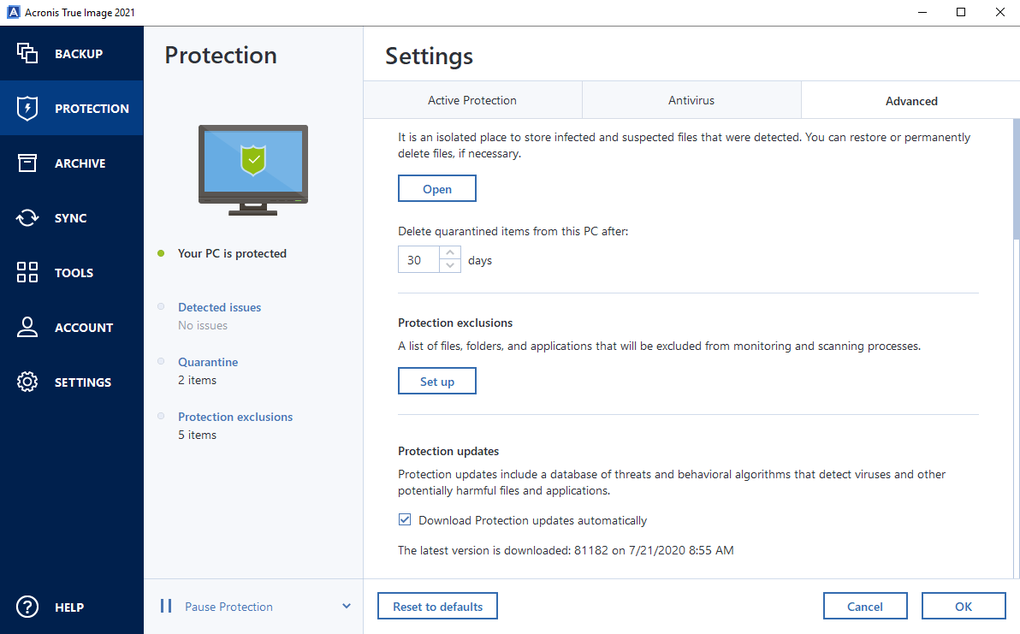
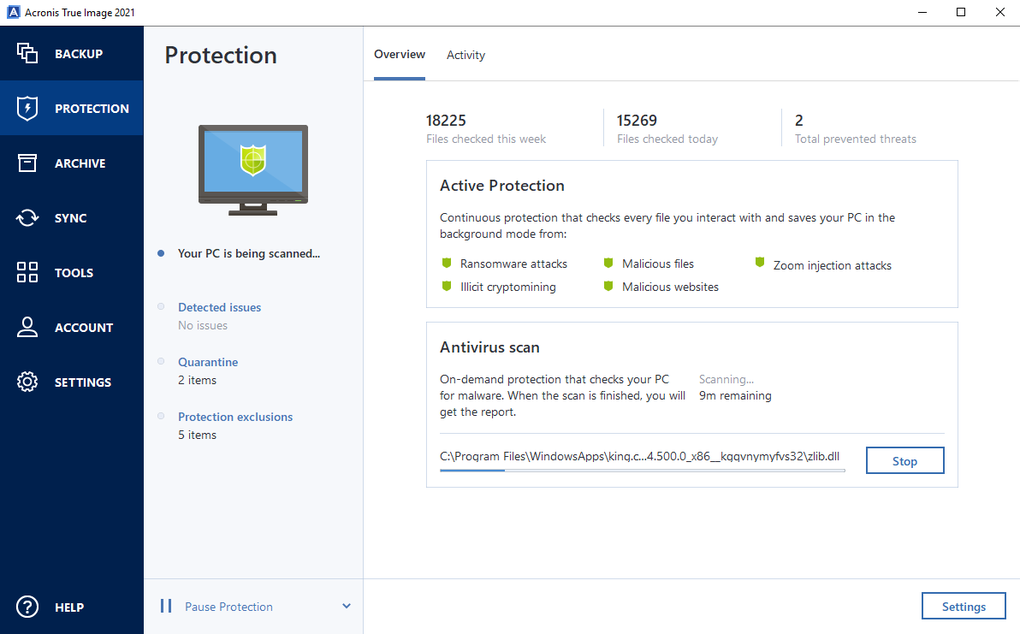
- Real‑Time Malware Detection: AI‑enhanced engine blocks ransomware, cryptojacking, trojans, and malicious URLs before they cause damage.
- Automatic File Recovery: If ransomware encrypts a file, Acronis restores the original version automatically.
- Universal Restore: Migrate a backup to dissimilar hardware—different drivers, CPUs, or even a new SSD—without compatibility issues.
- Secure Sync & Remote Access: Access your backed‑up files from any internet‑connected device, making travel and remote work seamless.
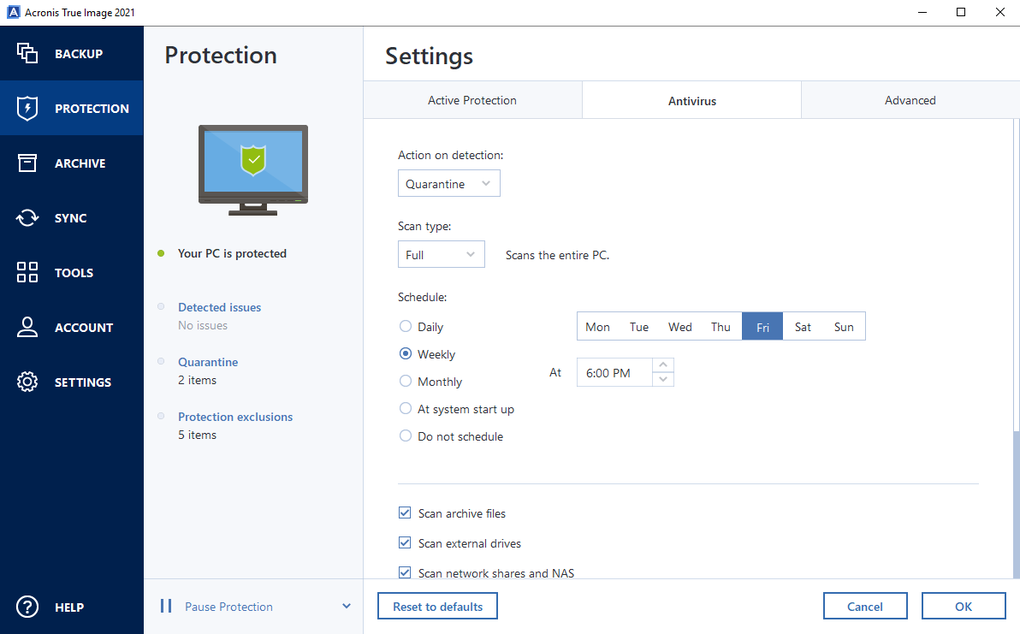
- Flexible Scheduling: Set daily, weekly, or monthly backup windows that fit your workflow.
- Comprehensive Reporting: Detailed logs and visual dashboards keep you informed about backup health and security events.
These features translate into tangible benefits for everyday users. Full‑system imaging eliminates the guesswork of reinstalling Windows and all your programs after a hardware failure. Incremental backups drastically cut down on network bandwidth and storage consumption, which is especially valuable for limited‑size cloud plans.
The built‑in ransomware shield works silently in the background, providing a safety net that traditional antivirus programs often miss. Moreover, the Universal Restore capability means you can upgrade to a new PC without worrying about driver conflicts—Acronis adjusts the image on the fly, ensuring a smooth transition. For small businesses, the dual‑storage model satisfies compliance requirements by keeping a copy off‑site while still allowing rapid local restores.
In essence, Acronis True Image consolidates multiple tools—backup, cloud sync, anti‑malware, and migration—into a single, cost‑effective solution.
Installation, Usage & Compatibility
Getting started with Acronis True Image is straightforward. Begin by downloading the installer from the official Acronis website or a trusted distributor. The .exe file is less than 4 GB, and the download process is secured with SSL encryption to prevent tampering.
Once the file is saved, double‑click to launch the wizard. The installer checks for minimum system requirements—dual‑core CPU, at least 2 GB RAM, and 3.5 GB free disk space—then guides you through a typical or custom installation. You can choose to install the core backup engine only, or include optional modules such as Acronis Cloud Sync or the ransomware protection add‑on.
After installation, launch the application; the first run will prompt you to create an Acronis account, which is required for cloud features and license activation.
From the dashboard, you can create your first backup in three clicks: select “Add Backup,” choose the type (Full Disk, File/Folder, or Custom), and pick a destination (local drive, network share, or Acronis Cloud). Scheduling options appear on the same screen, allowing you to set automatic runs at night or during idle hours. The real‑time protection module activates automatically, monitoring system processes and web traffic for suspicious behavior. If a threat is detected, a pop‑up alerts you, and the affected file is quarantined and restored from the most recent backup snapshot.
Compatibility: Acronis True Image supports Windows 11, Windows 10, Windows 8.1, and Windows 7 SP1 (both 32‑bit and 64‑bit). The software is optimized for both desktop PCs and laptops, with power‑management features that pause backups when the battery is low. While the primary focus is Windows, Acronis offers companion apps for macOS, Android, and iOS, enabling you to view and restore cloud‑based files on mobile devices. Regular updates, delivered via the built‑in updater, ensure compatibility with the latest Windows builds and emerging cyber threats. For enterprise environments, Acronis provides a silent installation option using an MSI package, allowing IT admins to deploy the application across multiple machines via Group Policy.
Pros, Cons & Frequently Asked Questions
Pros
- Comprehensive backup options (full image, file‑level, incremental).
- Integrated AI‑driven ransomware and malware protection.
- Dual storage (local + cloud) for redundant data safety.
- Universal Restore simplifies hardware migrations.
- User‑friendly interface with clear scheduling and reporting.
- Cross‑platform access via mobile apps.
Cons
- Subscription pricing may be higher than basic free backup tools.
- Cloud storage limits require additional purchase for large media libraries.
- Initial full‑disk imaging can be time‑consuming on older hardware.
- Advanced features (e.g., AI protection) are only available in higher‑tier plans.
FAQ
Can I use Acronis True Image without an internet connection?
Yes. All core backup and restore functions work offline. However, cloud sync, real‑time threat updates, and remote file access require an internet connection.
How much cloud storage is included with the basic plan?
The basic subscription includes 500 GB of encrypted cloud storage. Additional storage can be purchased in 1 TB increments.
Is the ransomware protection active during a backup?
Absolutely. The AI engine monitors file activity in real time, including during backup operations, and will block any malicious encryption attempts immediately.
Can I restore a backup to a different PC with different hardware?
Yes. The Universal Restore feature adapts the image to new drivers and hardware configurations, making cross‑machine restoration straightforward.
What is the difference between Acronis True Image and Acronis Cyber Protect Home Office?
They are essentially the same product; “Cyber Protect Home Office” is the newer branding that emphasizes the combined backup and cybersecurity capabilities.
Review Summary: Acronis True Image delivers a robust blend of backup reliability and proactive cyber defense, making it a standout choice for Windows users who demand both data integrity and security. The subscription model reflects its premium feature set, but the peace of mind it provides justifies the cost for most power users and small businesses.
Conclusion & Call to Action
In a digital world where data loss and ransomware attacks are everyday headlines, relying on a single-purpose backup utility is no longer sufficient. Acronis True Image for Windows bridges that gap by offering full‑system imaging, intelligent incremental backups, and AI‑driven malware protection under one roof. Its dual‑storage architecture, universal restore capability, and seamless cloud integration make it suitable for everyone—from casual home users protecting family photos to professionals safeguarding mission‑critical projects.
If you value a single, secure solution that handles both backup and real‑time threat mitigation, downloading Acronis True Image today is a smart move. Start with the free trial to experience the full feature set, then choose a subscription plan that matches your storage needs. Protect your data before a disaster strikes—download Acronis True Image now and enjoy uninterrupted peace of mind.







